
1gyosi - Minecraft Skins & Skin History
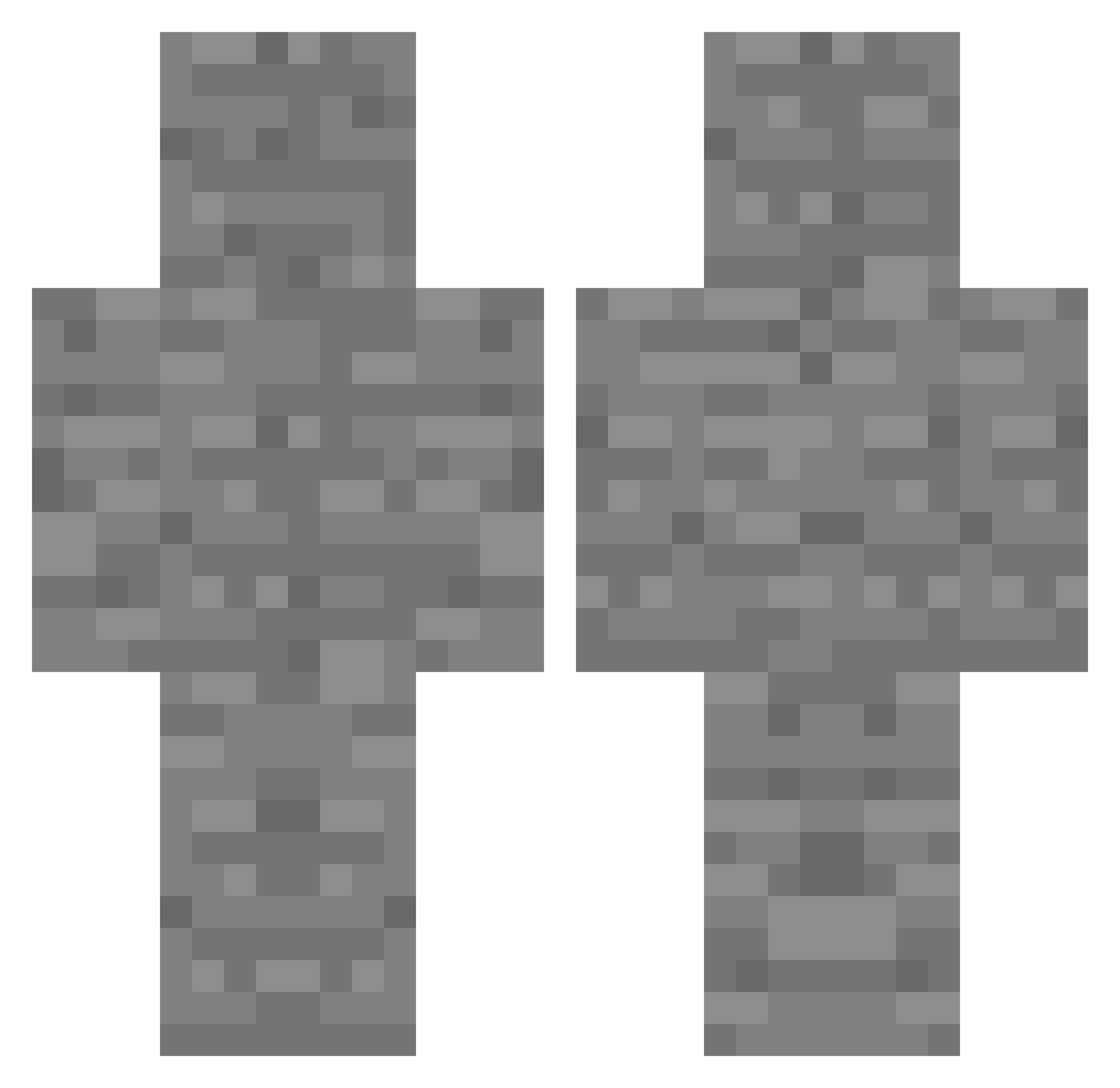
Current Minecraft skin of the player 1gyosi, loaded from the official Mojang API. Rotate the 3D model with your mouse or finger, then download the skin as a PNG file and use it in Minecraft: Bedrock Edition or Java Edition for free. When 1gyosi changes their skin, this page updates automatically and the old skin stays in the history below.
Other players with this skin (121)
1gyosi was the 91st player we have seen with this skin, first spotted on 20.10.2026. The same skin was seen on these players. Open a nickname to see their current skin and skin history.
 fjskdkfcjme yomoaki KTS_115 Vangames Gorbakh Welbo cjswlals IAMTOURETTE IcePaper924 mintae23 LoulouHBC3 GotzyMC Depwp e_P0L hannszn ChoiHyoo FREEMELON Isanomal kyj11 breadybready123 Min0_1Gi ArchitecturePro doxtu lahaii honggg1015 Zenglader light_hyn ADSIZIM donghyunkim0925 ShIfT174 ChuckyChicken67 GuardNo Hammer2440 _a1mbot SIWOO3478 orangemynt S_rao air_com 892n leemintanghulu YKOAlAa Guiguez10 LatJuan Durcl jelly_jenkins HAxME xlurzz Bradleychang p_q7 leath0079 ProTo1003 Minefan153652 NyaoTi Tsunnit OpticSoda CW_lol Lulibajjas
 XTC_2 VitaminComfy sou_ly
More Cobblestone Minecraft skins
How to install the 1gyosi skin
- Press the Download button above to save the skin as a PNG file.
- Minecraft: Bedrock Edition (PE): open the Dressing Room from the main menu (or tap your character → Edit Character), go to Classic Skins → Owned, press the + (new skin) button, choose the downloaded PNG and pick the Classic (Steve) model. Works on PC and mobile; consoles cannot import custom skins.
- Minecraft: Java Edition: open the Minecraft Launcher, go to the Skins tab, click New Skin, load the PNG, pick the Classic (Steve) model and press Save & Use. You can also upload it at minecraft.net → Profile → Change Skin.
The skin does not show up after import - what should I do?
Restart Minecraft and open the Dressing Room again - imported skins sometimes appear only after a restart. Also make sure you selected the imported skin and picked the Classic (Steve) model.
Which model should I choose, Classic or Slim?
This skin is designed for the Classic (Steve) model. If you pick the wrong model, the arms of the skin will look stretched or squeezed.
Is the skin of 1gyosi free to download?
Yes. Press Download, save the PNG file and use it in Minecraft: Bedrock Edition or Java Edition - no payment or registration needed. The skin also works on multiplayer servers and Realms.
More skins
Looking for more? Go back to all Minecraft skins and check the top skins of the week, month and all time, or find any player's skin by nickname.